
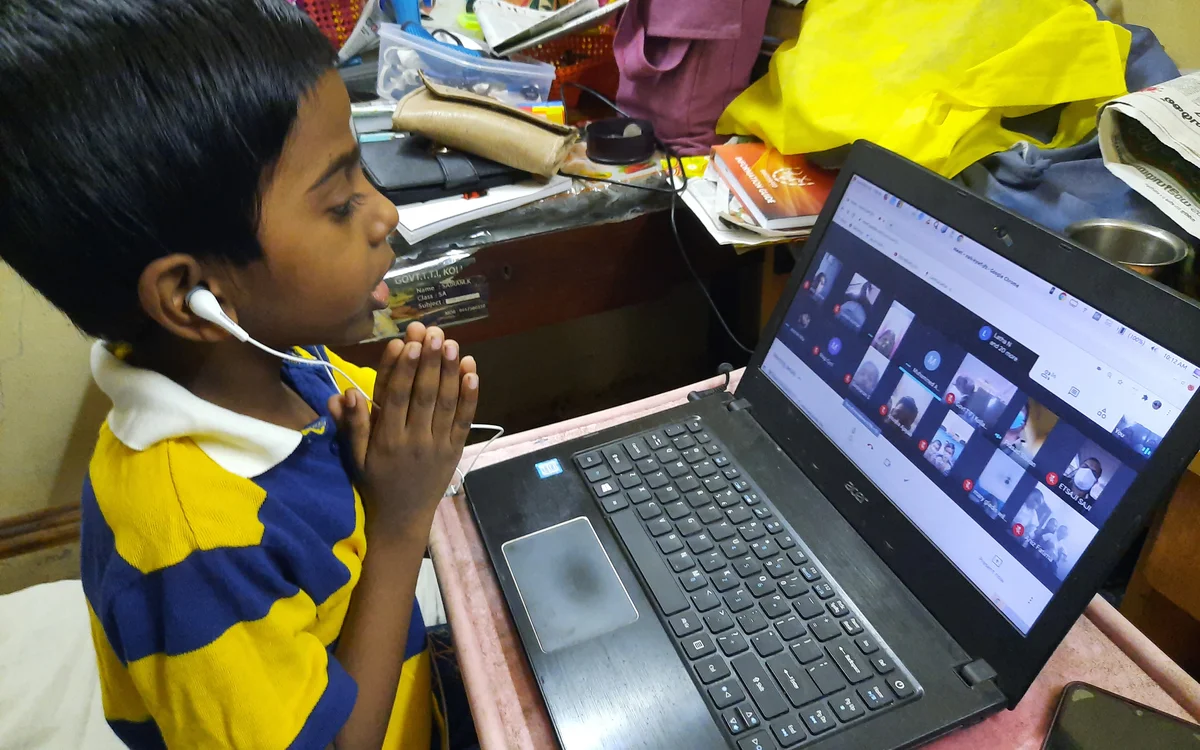
Why a Screen Makes Focus Harder Than a Classroom Does
A physical classroom removes most competing stimuli by default. There's a teacher at the front, a desk with nothing but a notebook on it, and classmates who can see if you're zoned out. None of that transfers to a laptop screen. The browser that holds the class meeting is the same browser that holds every game, video and group chat a student has ever used, which means the "off" switch for distraction simply doesn't exist the way it does in a room with no phone in it.
Researchers who study attention call this "switching cost" - the mental tax paid every time focus moves from one task to another and back. It isn't zero, and it isn't instant. A glance at a notification doesn't cost a second; it costs the twenty or thirty seconds it takes to fully re-enter whatever was being explained before the glance happened. Across a 50-minute class with even a handful of those switches, a meaningful chunk of the lesson is gone before anyone notices.
Build a Single-Purpose Space, Even If It's Small
The single biggest lever isn't an app or a setting - it's physical location. A desk, or even a corner of a dining table, that is used only for schoolwork trains the brain to associate that spot with focus. A bed or a couch does the opposite, because it's already associated with resting, scrolling and watching something. This doesn't require a home office. It requires consistency: the same chair, the same surface, every time class starts.
Lighting and posture matter more than they get credit for. A dim room makes a screen feel like entertainment lighting, not work lighting. Sitting upright with the laptop at roughly eye level keeps the body in a state that's closer to alert than slouched-on-a-cushion ever will be.
Close the Tabs Before Class, Not During It
Most students don't decide to get distracted mid-class - they just never closed the distraction in the first place. A second monitor with a group chat already open, a phone resting face-up next to the keyboard, a music app with autoplay queued to something with lyrics: these are all decisions made before the lesson starts, and they determine how the next fifty minutes go far more than anything that happens once the teacher begins talking.
A two-minute pre-class routine solves most of it: close every tab that isn't the class itself and the notes document, put the phone in a drawer or another room, and silence notifications at the operating system level rather than trusting an app's internal "do not disturb" toggle, which can be undone by one tap.
Take Notes by Hand When the Format Allows It
Typing notes is faster, which sounds like an advantage until it becomes the problem. Typing fast enough to transcribe a lecture word-for-word turns note-taking into a listening-free activity - the hands are working, but the brain has checked out of actually processing what's being said. Writing by hand is slower, which forces a kind of real-time summarizing: deciding what matters enough to write down is itself a form of paying attention.
This isn't a rule for every class. Fast-moving math or code-along sessions sometimes genuinely need typed notes to keep up. But for discussion-heavy or concept-heavy classes, a notebook next to the laptop does more for retention than a second laptop window ever will.
The Pomodoro Method, Adapted for Live Classes
The Pomodoro technique - 25 minutes of focus, then a 5-minute break - was built for independent work, not live classes you can't pause. But its core idea still applies to the time around class: use the break windows deliberately. Rather than letting a 10-minute gap between two classes dissolve into an open-ended phone session, treat it as an actual timed break - stand up, get water, look away from the screen - and set an alarm to end it. The goal isn't eliminating breaks, it's keeping them from quietly eating the next class's start time.
Engage Instead of Just Watching
Passive watching is the fastest route to drifting attention. Chat with the instructor counts as participation and so does unmuting to ask a question, but so does something smaller: predicting the next step in a problem before the teacher gets there, or jotting a one-line reaction to each new point. Anything that turns the session from something that happens to a student into something the student is actively doing cuts distraction dramatically, because divided attention and active engagement don't coexist well.
What to Do When Focus Still Slips
Even with a clean setup, attention dips happen - that's normal, not a personal failure. The fix isn't guilt, it's a quick reset: notice the drift, name it silently ("I'm on my phone instead of listening"), and return to the material without spiraling into frustration about it. A five-second reset beats a five-minute internal lecture about discipline every time, because the lecture itself is another distraction.
If a particular time of day consistently produces the worst focus - right after lunch is a common one - that's worth noticing too. Shifting a snack, a short walk, or bright light into that window before class starts can blunt the usual afternoon slump more reliably than trying to white-knuckle through it.
Frequently Asked Questions
- Does turning the camera on actually help focus? For most students, yes. Being visible creates a mild, natural form of accountability similar to sitting in a physical classroom, and it tends to reduce multitasking even when no one is actively watching.
- Is background music okay while attending a live class? Lyrics compete with spoken language for the same part of the brain, so instrumental or no music works better during a live lecture. Music is fine during independent review afterward.
- How long can a student realistically stay focused in one sitting? Most people's sustained attention for a single task runs somewhere around 20-30 minutes before it naturally dips, which is exactly why short breaks between classes matter more than people assume.
- Do website blockers actually work for staying focused? They help more than willpower alone, mainly because they remove the split-second decision to open a distracting site - but they work best paired with the pre-class routine of closing tabs, not as a replacement for it.
The Bottom Line
None of this requires new software or a complete personality change. A single-purpose desk, tabs closed before class instead of during it, a notebook instead of a second typing window, and short, real breaks between sessions handle most of what makes online classes harder to focus on than in-person ones. The goal isn't perfect attention for an entire semester - it's a setup that makes staying focused the easy, default choice instead of a constant fight.